
Bart Matusiak Little Leaf
ux/product designer + information architect
LINK Driver
mobile application
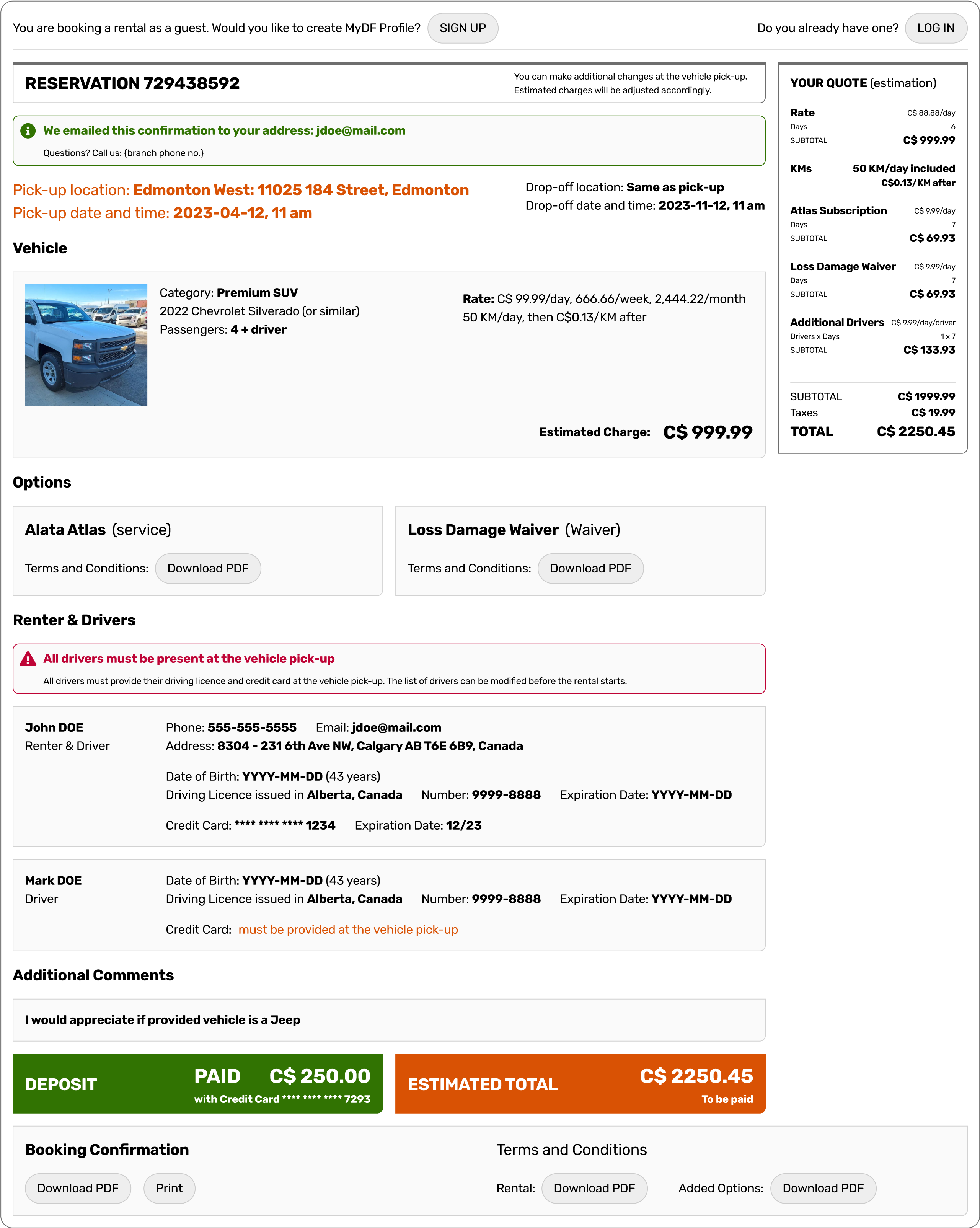
DF Booking
web application module
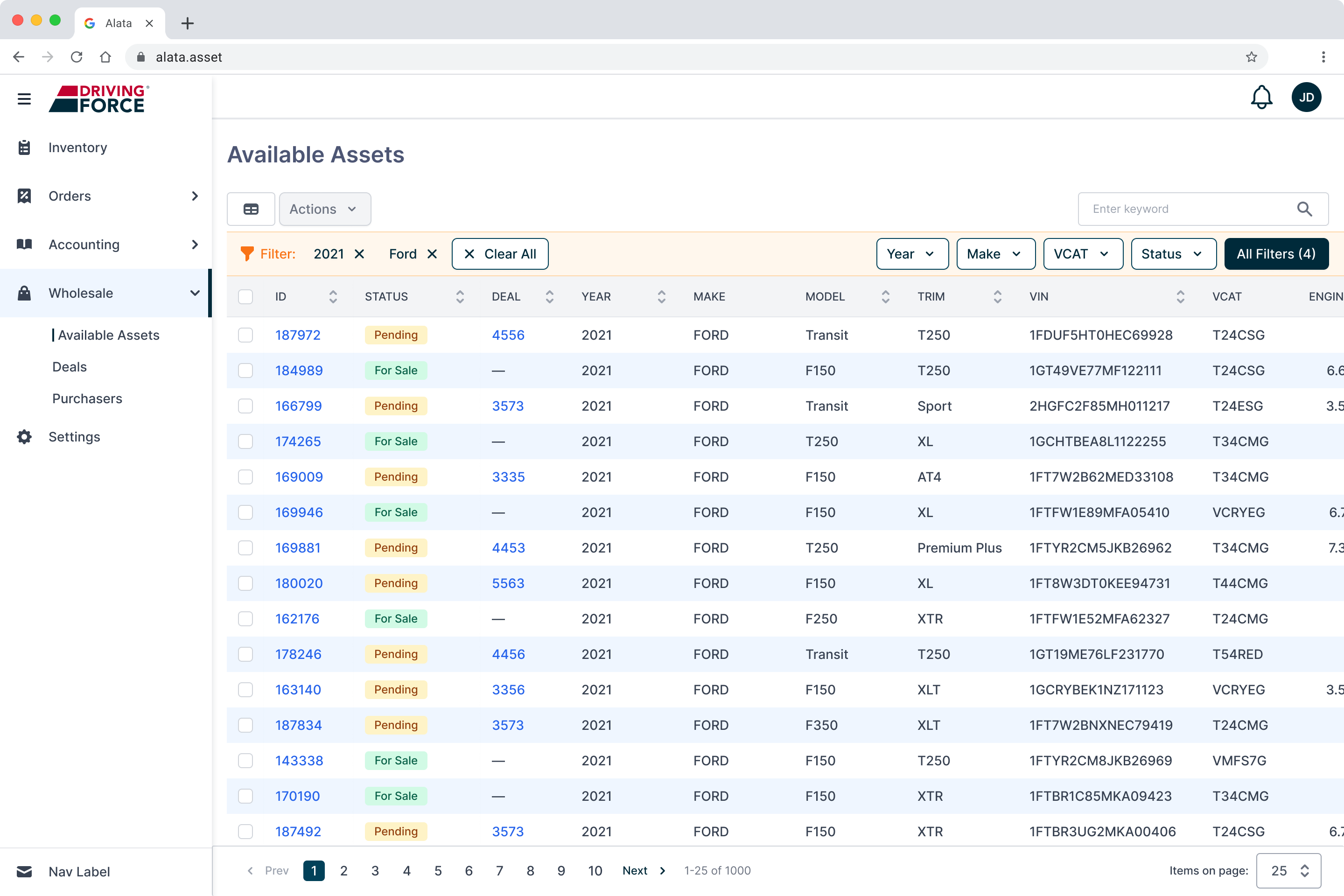
US Wholesale
web application module
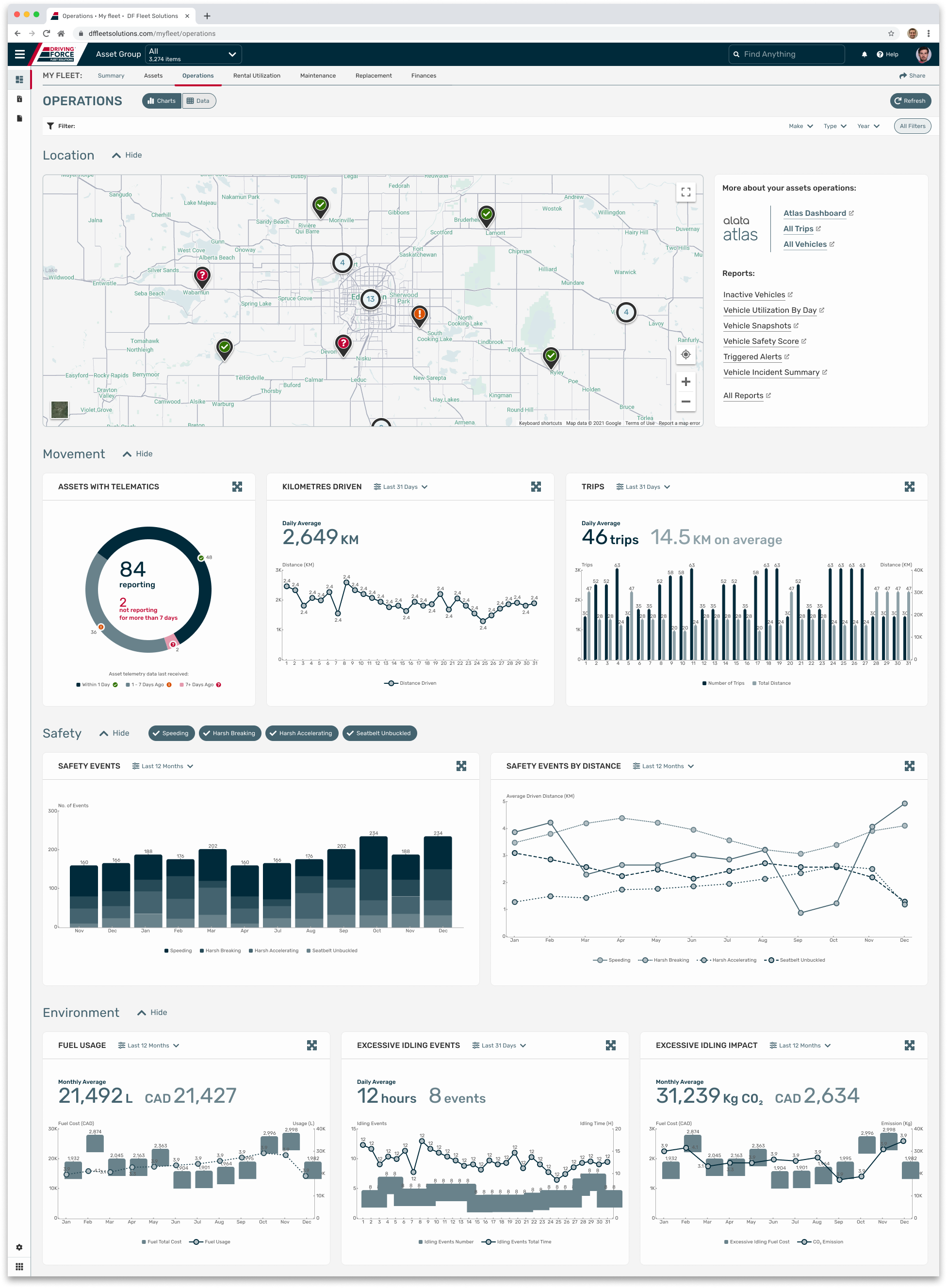
Data Dashboard
web application module
IDs
data taxonomy concept
AL DS
design system
LINK Driver
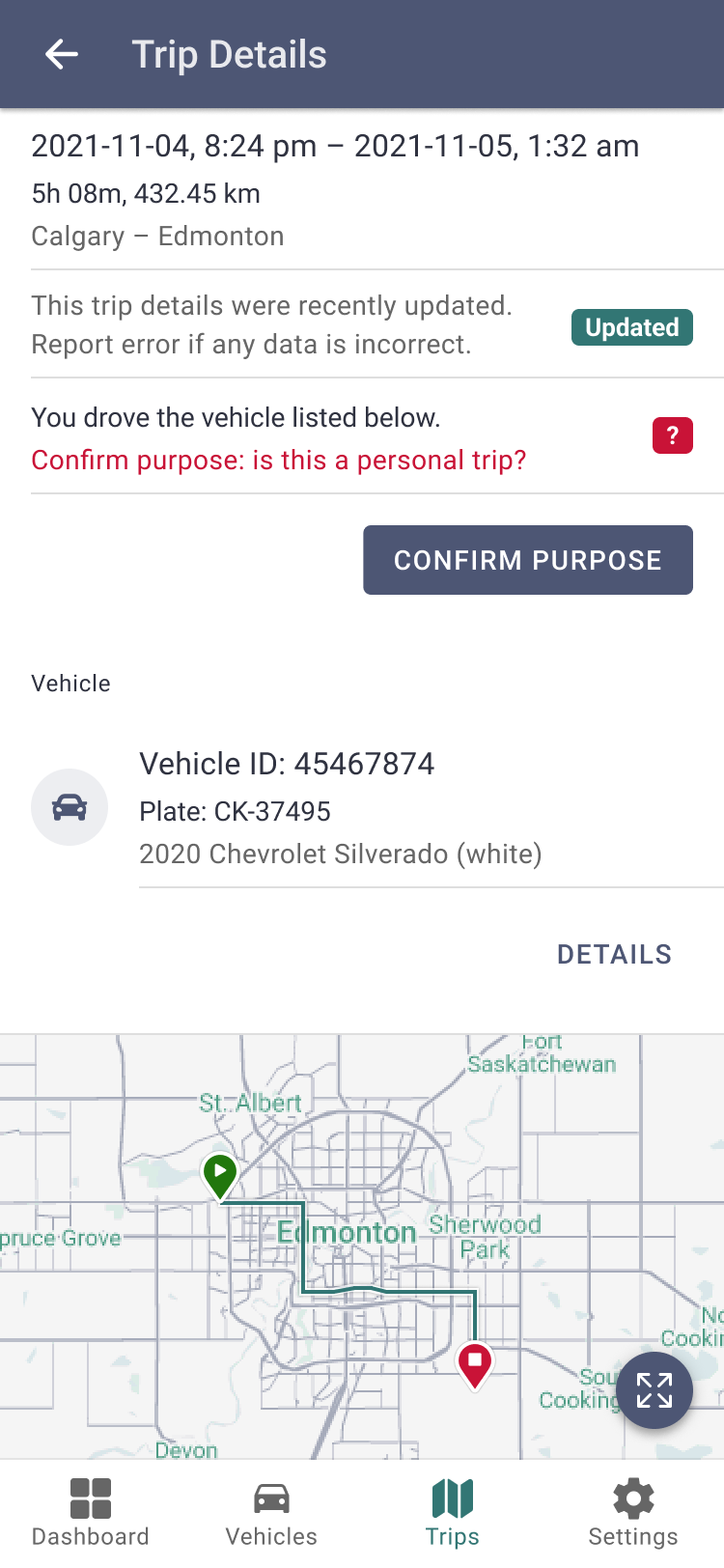
Mobile Application for iOS and Android. It enables drivers to manage their vehicle assignments and annotate completed trips. Component of the Alata LINK Suite; Project for Alata Tech (part of The Driving Force Group of Companies).
My role: defining the initial scope and application functionality, based on the original business requirements and conducting further research. The allocated time frame was six design sprints, during which I would deliver a set of high-fidelity wireframes and flows that would represent the MVP.

SITUATION
Drivers are permitted to use any available vehicle from the organization’s fleet for both business and personal purposes. Accounting personnel are tasked with accurately recording depreciation and allocating utilization costs by maintaining detailed records of each trip, including its purpose, distance traveled, and departure time.
TASK
To address this, it was determined that a separate mobile application dedicated to recording such data is essential. Consequently, its development was authorized, starting with the creation of a minimum viable product (MVP).
ACTION
Conducting user interviews to define and confirm initial business requirements. Synthesizing the findings into typical user scenarios and task flows. Translating these into UI flows and designing the interface. Preparing and testing the prototype.
RESULT
The built application streamlined the collection and categorization of trip data, simplifying the work of the accounting personnel.
Requirements
Initial requirements were defined during conversations and workshops with the stakeholders.
Business Requirements:

Research
I conducted several interviews with Users. Collected notes were synthesized as User Statements.
Key findings included the necessity of a solution that facilitates rapid information retrieval and immediate data input. Users will primarily utilize the application “on-the-go,” thereby confirming vehicle assignments, trips, and trip purpose. Consequently, there should be no requirement for manual data entry, what was indicated as the main pain point.
The findings guided the final design by defining the desired interactions and the scope of data presented to the users.
User Statements:
← SCROLL →

Synthesis
Based on research results, I defined a set of user scenarios in the form of short stories describing user journeys.
Selected User Scenarios:

Ideation
The subsequent step involved defining task flows in the form of diagrams. This was done to identify and establish the sequence of actions and events based on the results of research and synthesis.
Selected Task Flows:

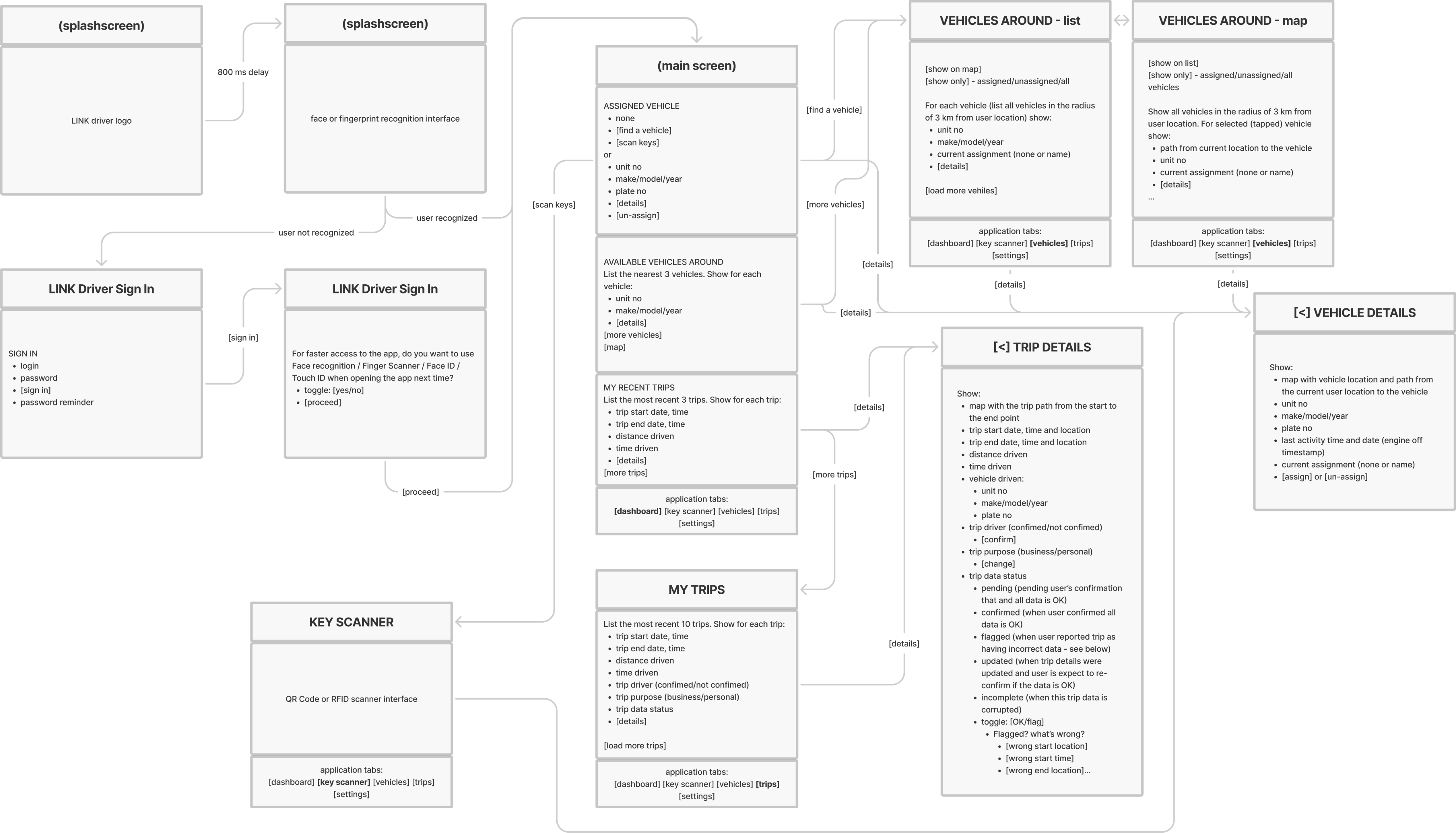
Designed UI flow established the sequence and structure of screens and connections that guide users through the application. Created logical, intuitive paths helps users complete tasks efficiently and quick.
UI Flow:
← SCROLL →
Design
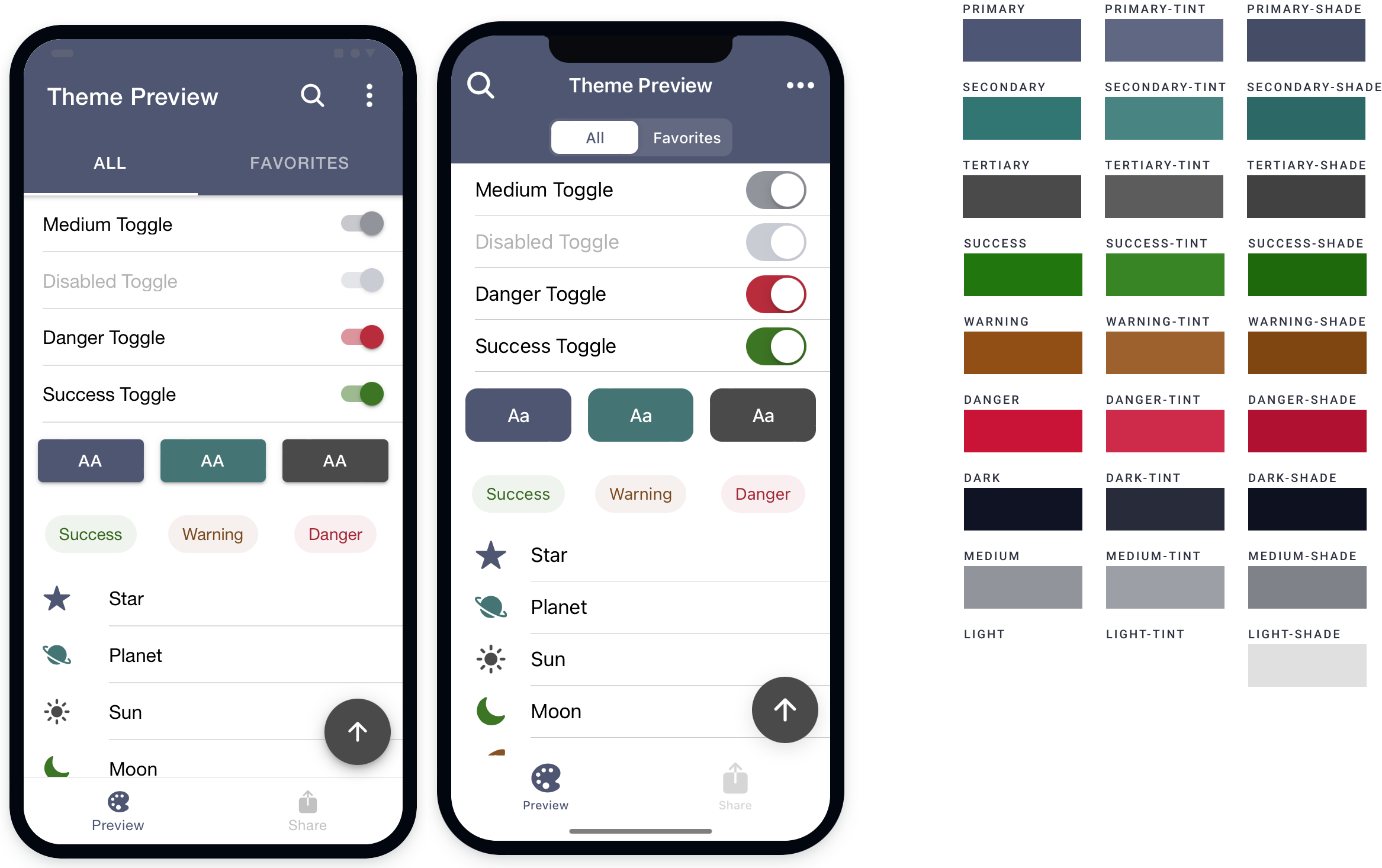
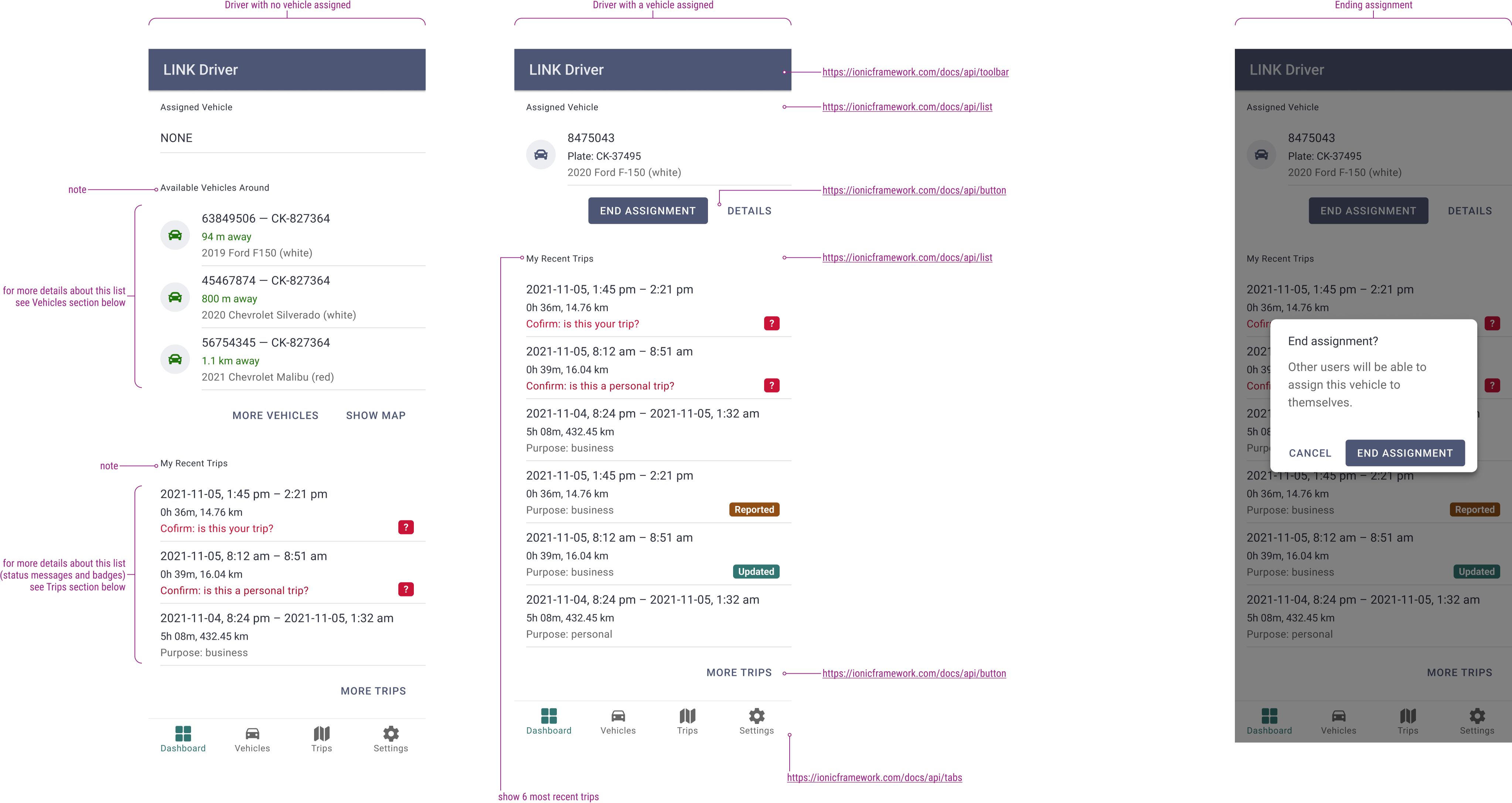
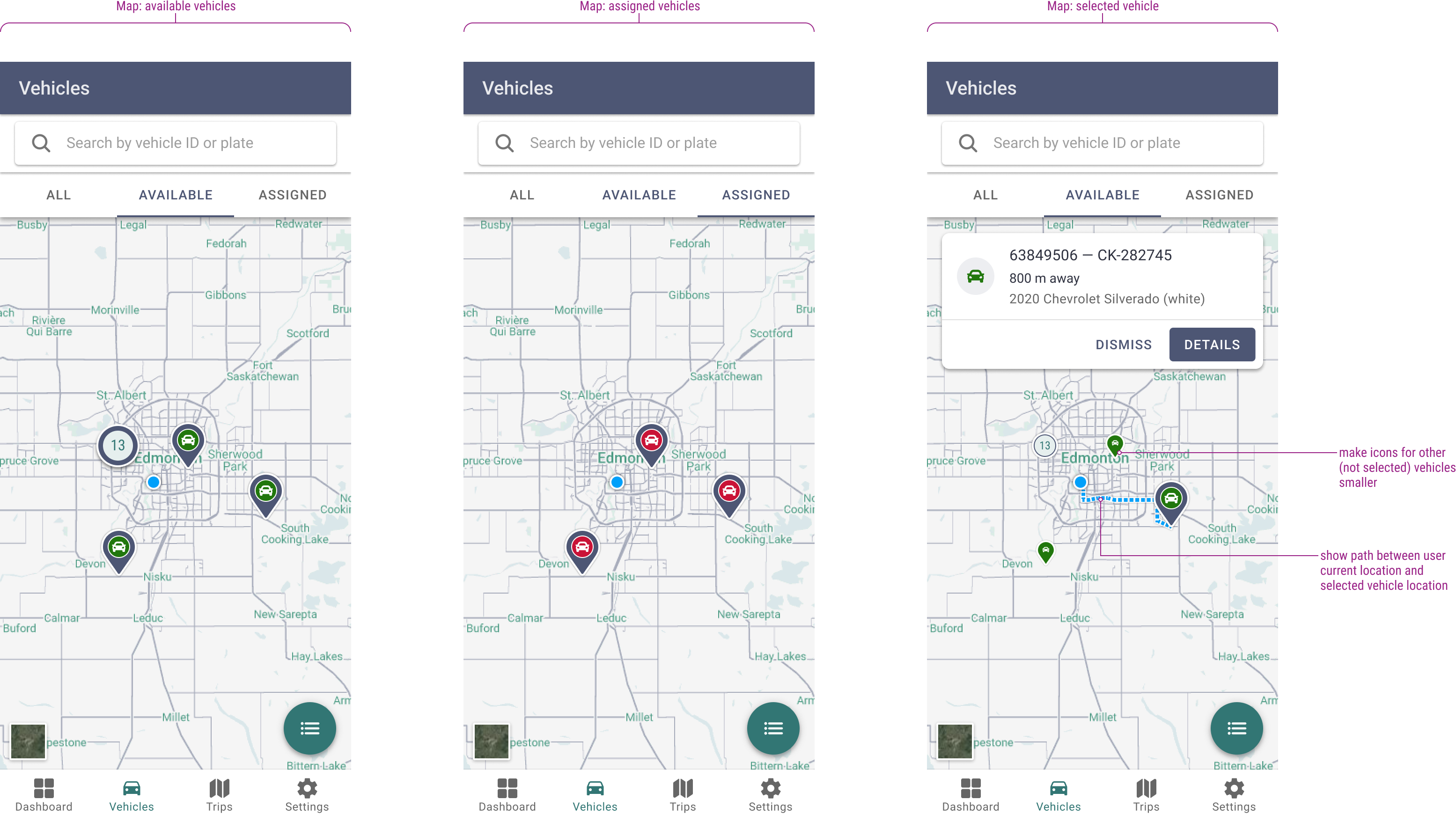
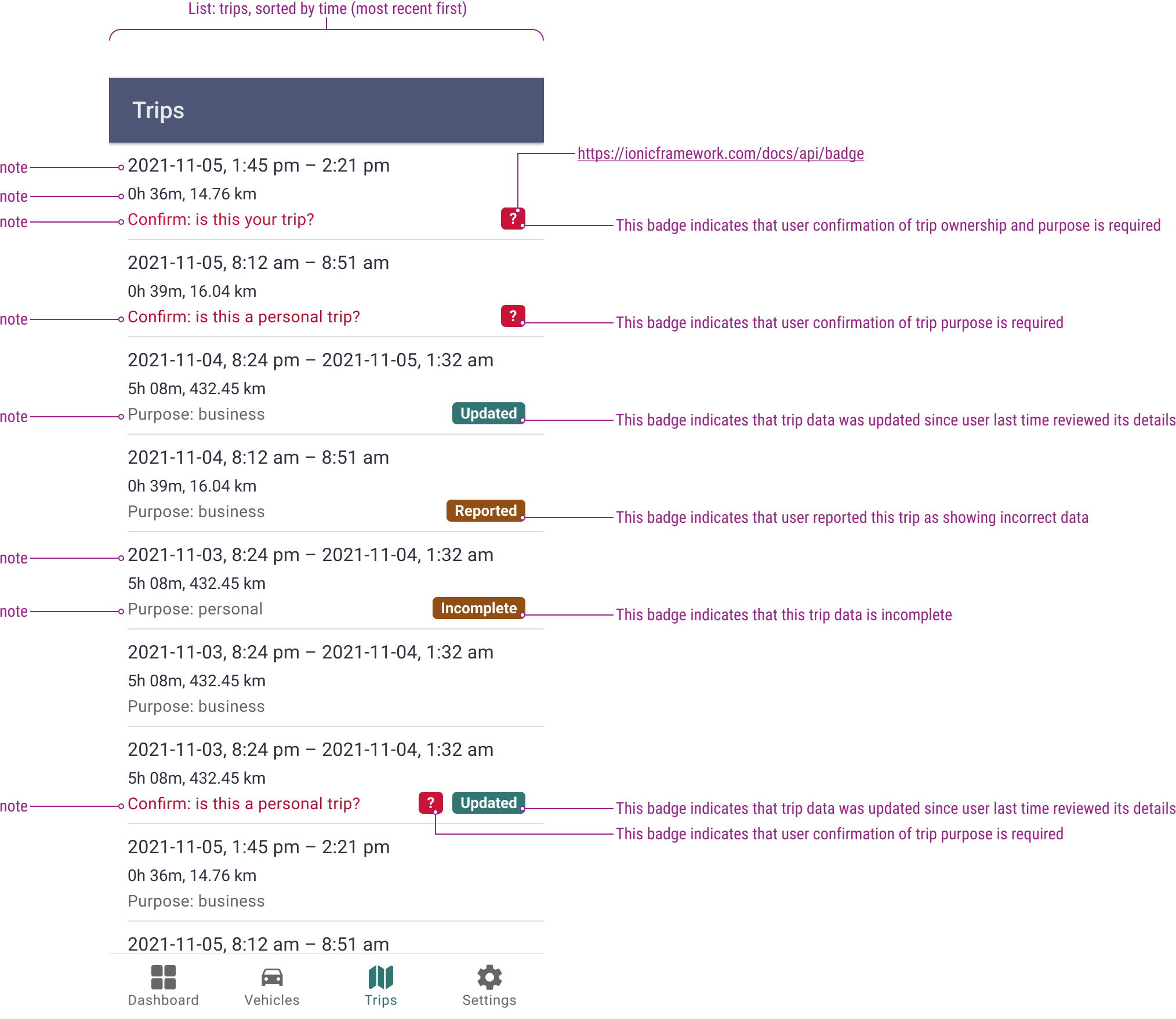
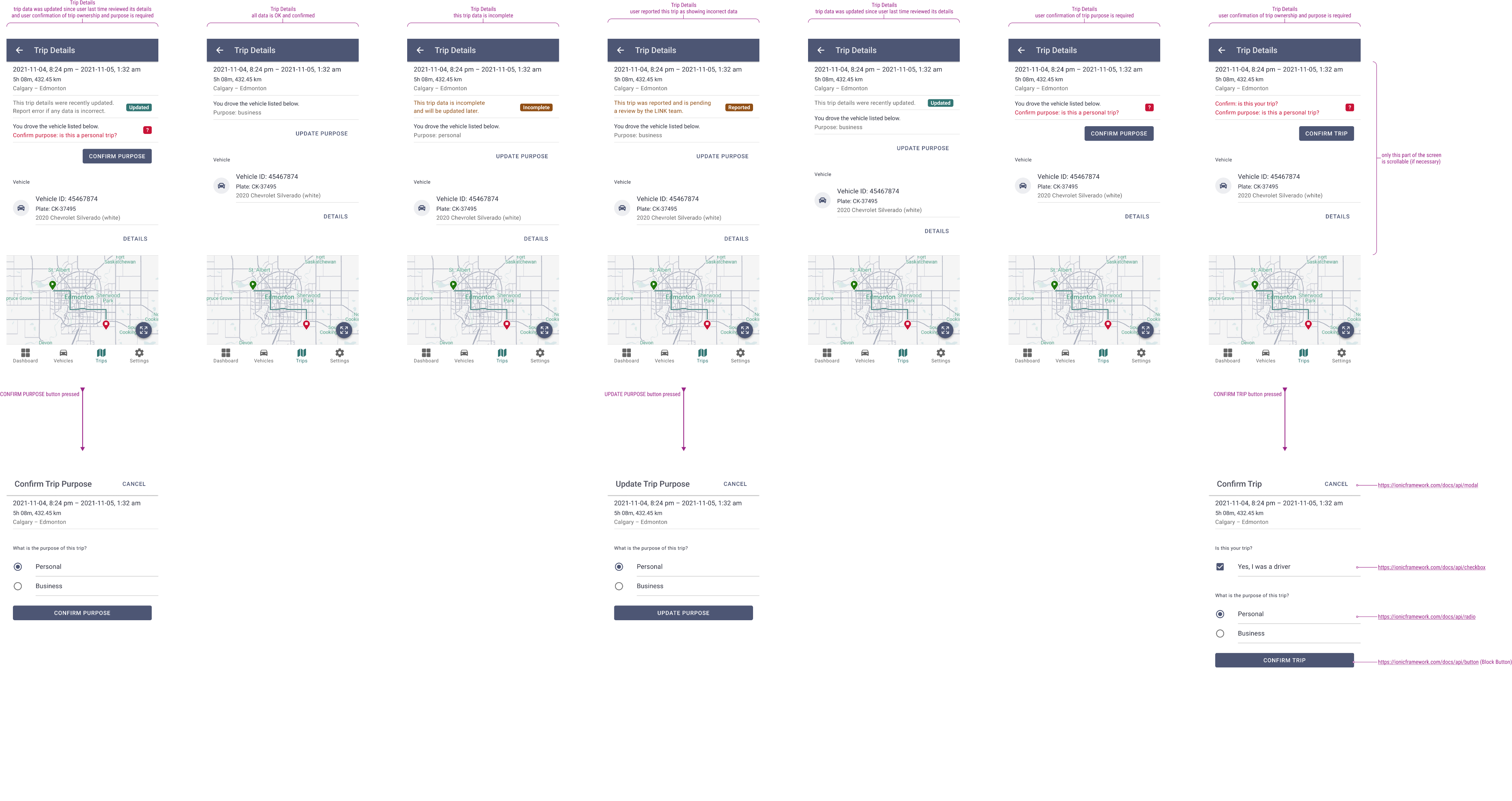
Finally, I created the high-fidelity wireframes. After defining the colour scheme, screens were designed using Ionic UI toolkit, in accordance with Material Design guidelines, ensuring an easy portability into iOS Human Interface.
Defined user scenarios were tested using high-fidelity wireframes that were combined into a clickable prototype. The identified changes were implemented.
Selected Wireframes:
Handover
The complete design, including the prototype, all flows, diagrams, and annotated wireframes, was presented and handed over to the development team. I was also involved in Jira ticket writing, providing additional input from a design perspective and ensuring that every aspect of the prepared design was included.
Later, I also was involved in final testing and quality assurance phase to check if all functional and visual aspects were correctly implemented.
Projects
DISCLAIMER: All projects and designs shown in this portfolio have been created by myself, or as part of a team; working as a freelance contractor or a full-time employee. They belong to their legal owners and are being shown here for informational purposes only.
Made with Figma Sites
Bart Matusiak Little Leaf
ux/product designer + information architect
LINK Driver
mobile application
DF Booking
web application module
US Wholesale
web application module
Data Dashboard
web application module
IDs
data taxonomy concept
AL DS
design system
LINK Driver
Mobile Application for iOS and Android. It enables drivers to manage their vehicle assignments and annotate completed trips. Component of the Alata LINK Suite; Project for Alata Tech (part of The Driving Force Group of Companies).
My role: defining the initial scope and application functionality, based on the original business requirements and conducting further research. The allocated time frame was six design sprints, during which I would deliver a set of high-fidelity wireframes and flows that would represent the MVP.
SITUATION
Drivers are permitted to use any available vehicle from the organization’s fleet for both business and personal purposes. Accounting personnel are tasked with accurately recording depreciation and allocating utilization costs by maintaining detailed records of each trip, including its purpose, distance traveled, and departure time.
TASK
To address this, it was determined that a separate mobile application dedicated to recording such data is essential. Consequently, its development was authorized, starting with the creation of a minimum viable product (MVP).
ACTION
Conducting user interviews to define and confirm initial business requirements. Synthesizing the findings into typical user scenarios and task flows. Translating these into UI flows and designing the interface. Preparing and testing the prototype.
RESULT
The built application streamlined the collection and categorization of trip data, simplifying the work of the accounting personnel.
Requirements
Initial requirements were defined during conversations and workshops with the stakeholders.
Business Requirements:

Research
I conducted several interviews with Users. Collected notes were synthesized as User Statements.
Key findings included the necessity of a solution that facilitates rapid information retrieval and immediate data input. Users will primarily utilize the application “on-the-go,” thereby confirming vehicle assignments, trips, and trip purpose. Consequently, there should be no requirement for manual data entry, what was indicated as the main pain point.
The findings guided the final design by defining the desired interactions and the scope of data presented to the users.
User Statements:
← SCROLL →

Synthesis
Based on research results, I defined a set of user scenarios in the form of short stories describing user journeys.
Selected User Scenarios:

Ideation
The subsequent step involved defining task flows in the form of diagrams. This was done to identify and establish the sequence of actions and events based on the results of research and synthesis.
Selected Task Flows:

Designed UI flow established the sequence and structure of screens and connections that guide users through the application. Created logical, intuitive paths helps users complete tasks efficiently and quick.
UI Flow:
← SCROLL →
Design
Finally, I created the high-fidelity wireframes. After defining the colour scheme, screens were designed using Ionic UI toolkit, in accordance with Material Design guidelines, ensuring an easy portability into iOS Human Interface.
Defined user scenarios were tested using high-fidelity wireframes that were combined into a clickable prototype. The identified changes were implemented.
Selected Wireframes:
Handover
The complete design, including the prototype, all flows, diagrams, and annotated wireframes, was presented and handed over to the development team. I was also involved in Jira ticket writing, providing additional input from a design perspective and ensuring that every aspect of the prepared design was included.
Later, I also was involved in final testing and quality assurance phase to check if all functional and visual aspects were correctly implemented.
Projects
DISCLAIMER: All projects and designs shown in this portfolio have been created by myself, or as part of a team; working as a freelance contractor or a full-time employee. They belong to their legal owners and are being shown here for informational purposes only.
Made with Figma Sites
Bart Matusiak Little Leaf
ux/product designer + information architect
DF Booking
web application module
US Wholesale
web application module
Data Dashboard
web application module
IDs
data taxonomy concept
LINK Driver
mobile application
AL DS
design system
LINK Driver
Mobile Application for iOS and Android. It enables drivers to manage their vehicle assignments and annotate completed trips. Component of the Alata LINK Suite; Project for Alata Tech (part of The Driving Force Group of Companies).
My role: defining the initial scope and application functionality, based on the original business requirements and conducting further research. The allocated time frame was six design sprints, during which I would deliver a set of high-fidelity wireframes and flows that would represent the MVP.
SITUATION
Drivers are permitted to use any available vehicle from the organization’s fleet for both business and personal purposes. Accounting personnel are tasked with accurately recording depreciation and allocating utilization costs by maintaining detailed records of each trip, including its purpose, distance traveled, and departure time.
TASK
To address this, it was determined that a separate mobile application dedicated to recording such data is essential. Consequently, its development was authorized, starting with the creation of a minimum viable product (MVP).
ACTION
Conducting user interviews to define and confirm initial business requirements. Synthesizing the findings into typical user scenarios and task flows. Translating these into UI flows and designing the interface. Preparing and testing the prototype.
RESULT
The built application streamlined the collection and categorization of trip data, simplifying the work of the accounting personnel.
Requirements
Initial requirements were defined during conversations and workshops with the stakeholders.
Business Requirements:

Research
I conducted several interviews with Users. Collected notes were synthesized as User Statements.
Key findings included the necessity of a solution that facilitates rapid information retrieval and immediate data input. Users will primarily utilize the application “on-the-go,” thereby confirming vehicle assignments, trips, and trip purpose. Consequently, there should be no requirement for manual data entry, what was indicated as the main pain point.
The findings guided the final design by defining the desired interactions and the scope of data presented to the users.
User Statements:
← SCROLL →

Synthesis
Based on research results, I defined a set of user scenarios in the form of short stories describing user journeys.
Selected User Scenarios:

Ideation
The subsequent step involved defining task flows in the form of diagrams. This was done to identify and establish the sequence of actions and events based on the results of research and synthesis.
Selected Task Flows:

Designed UI flow established the sequence and structure of screens and connections that guide users through the application. Created logical, intuitive paths helps users complete tasks efficiently and quick.
UI Flow:
← SCROLL →
Design
Finally, I created the high-fidelity wireframes. After defining the colour scheme, screens were designed using Ionic UI toolkit, in accordance with Material Design guidelines, ensuring an easy portability into iOS Human Interface.
Defined user scenarios were tested using high-fidelity wireframes that were combined into a clickable prototype. The identified changes were implemented.
Selected Wireframes:
Handover
The complete design, including the prototype, all flows, diagrams, and annotated wireframes, was presented and handed over to the development team. I was also involved in Jira ticket writing, providing additional input from a design perspective and ensuring that every aspect of the prepared design was included.
Later, I also was involved in final testing and quality assurance phase to check if all functional and visual aspects were correctly implemented.
Projects
DISCLAIMER: All projects and designs shown in this portfolio have been created by myself, or as part of a team; working as a freelance contractor or a full-time employee. They belong to their legal owners and are being shown here for informational purposes only.
Made with Figma Sites